
Notes from Ellie
Stuff You Should Know About
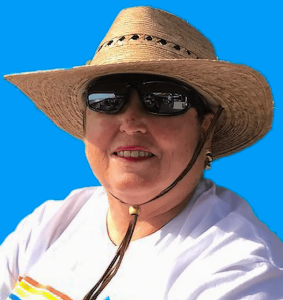
Hello All,
Hope this communique finds all is well with you.
I don’t say it often enough and it warrants repeating – the very vast majority of our members interactions with others in the community are met by the following comments:
- “We’re so glad you are doing this.”
- “We don’t want any more building.”
- “We’re already overbuilt and have infrastructure issues – traffic, water pressure issues, overburden facilities, etc.”
- “Where does the CA stand and what are they doing about this?”
From my public interactions, and those of others, I truly can say that 95% to 98% of the residents we have spoken with (who have an opinion) are against ClubLink’s development agenda.
As a service to this community, SaveSCC is trying our best, in the absence of leadership and transparency from the CA Board, to mount an effective communication strategy to inform the community, build opposition and a successful campaign to defeat ClubLink’s development proposal. Our goal is to preserve the important legacy of our golf courses for recreational use only. These green spaces are a key distinguishing feature of our community that differentiates Sun City Center and Kings Point from any other 55+ community that will be built.
This was recognized and reflected in the community planning effort conducted some 15 years ago. It has not changed. So, be proud of your work and contributions to Save Sun City Center to support this crucial effort!
You’re an awesome force for good in Sun City Center! Keep up your great work! You inspire me!
New Projects
We’ve begun several new projects thanks to our volunteers who donate their time and talent to do the work. Thank you!
Every bit helps advance our cause by better informing and supporting our work and facilitating more understanding of our community, its members and what is important to them. As you will see from the update below, momentum and support are building.
If you have not registered as a SaveSCC member on our website, please do so by going to https://savescc.org/114-2/. Your membership is important to us as we represent you and our community. We are often asked how many members we have to gauge our support with residents.
Zoom
Hybrid meetings will be the norm for our regularly scheduled Save Sun City meetings on the 2nd and 4thTuesdays of the month. Hybrid means we meet both via both in-person via attendance at the Rollins Theatre and also virtually via Zoom. A Zoom invitation for every meeting will be published on the News from Ellie Anderson page before every meeting and then again the day prior to meeting to all registered SaveSCC members. The Zoom invitation is also posted on SaveScc.org under “Take Action”, “Meeting” the Friday before the meeting.
Below is the Zoom invitation for our Newcomer meeting on July 26, 22 from the Rollins Theatre at 6 PM on the Main Campus, 960-E Cherry Hill Dr.
Zoom Invitation
Topic: @Save Sun City Center’s Zoom Meeting
Time: Jul 26, 2022 18:00 Eastern Time (US and Canada)
Join Zoom Meeting
https://us06web.zoom.us/j/85022656006?pwd=d3ZMZkliQ2JBMTZtMlR3THdYYml3UT09
Meeting ID: 850 2265 6006
Passcode: 002018
One tap mobile
+16468769923,,85022656006#,,,,*002018# US (New York)
+16469313860,,85022656006#,,,,*002018# US
Dial by your location
+1 646 876 9923 US (New York)
+1 646 931 3860 US
+1 301 715 8592 US (Washington DC)
+1 312 626 6799 US (Chicago)
+1 669 900 6833 US (San Jose)
+1 253 215 8782 US (Tacoma)
+1 346 248 7799 US (Houston)
+1 386 347 5053 US
+1 408 638 0968 US (San Jose)
+1 564 217 2000 US
+1 669 444 9171 US
Meeting ID: 850 2265 6006
Passcode: 002018
Find your local number: https://us06web.zoom.us/u/keoD71kfAs
Zoom attendees may join the meeting prior to 6:00 pm. We will generally try to be in the meeting room and set up by 5:45 allowing time for everyone to get connected and ready to start at 6:00 pm.
H:ow to Use Zoom
Participants will use the Zoom toolbar to:
- Mute or unmute themselves via the Mute microphone Icon
- Raise or lower their hand to speak via the Reactions Icon. Select the Reaction Icon and “raise your hand”. A Hand will appear on your window in Zoom to alert the Host you wish to speak. The Zoom host will recognize you at the appropriate time so you may unmute yourself via the Mute microphone Icon and speak. When finished, lower your hand and mute yourself again so as to not disrupt the meeting.
Our initial protocol for the Zoom participants will be as follows: all participants will be Mute when joining the Zoom meeting. We do this to control background noise. When you want to speak, just raise your hand via the Reactions icon and the host will alert you when to Unmute and speak. When finished, Mute again and remove your Raised Hand.
We are using Zoom’s basic offering to conduct our meetings. If it works sufficiently well, we’ll stick with that as the lowest cost option. If we discover we need more features and controls, we will explore an upgrade to the Webinar version.
Special thanks to our Zoom hosts and technical support team – Peter Bates and Larry Bender!
All members and guests are welcome at any session or meeting on a first-come, first-admitted basis. The Rollins Theatre has a capacity of 140. Unfortunately, when we reach posted room capacity, we have to turn away potential attendees. So get there early! A limitation also applies to Zoom participants as well.
We may call other special meetings as circumstances warrant.
All meeting agendas and meeting location, time, and date details will be sent via the GetInvolved@SaveSCC.org email to all SaveSCC members subscribed to our email blasts.
To receive these blasts, please join us as a member by clicking here.